
The Short Answer
To create an AI girlfriend, open an app with a builder, choose her age band and looks, set her personality and behaviour, pick an outfit and a chat mood, then name her and start chatting. A free AIGirlfriends.ai account (a FetishAura sponsor) covers the whole build plus text chat; pictures, clips and calls need a paid plan.
This guide shows how to create an AI girlfriend by walking through one real builder, screen by screen.
We made a free account on AIGirlfriends.ai on 27 November 2026, ran its builder from start to finish and traded a few messages with one of its ready-made characters, without buying a plan.
Disclosure: AIGirlfriends.ai pays FetishAura for a sponsored placement. This walkthrough describes only what we saw, and our full AIGirlfriends.ai review scores it on the same five criteria as every other app (how sponsorships work).
What You Need Before You Start
Most AI girlfriend builders run in a web browser and ask you to confirm you are 18 or over. You don't need a card to build a companion on AIGirlfriends.ai.
- A separate email address, so your companion account isn't tied to your main inbox.
- A rough idea of the look and personality you want, since the builder moves quickly.
- A budget in mind, because pictures, clips and calls sit behind a paid plan.
Step 1: Choose Her Age Band and Looks
The builder opens with an age band: 18 to 21, 22 to 25, 26 to 30 or 31 to 33. Every option is an adult, and the site describes all of its characters as AI-generated.
Next come ethnicity, eye colour, body proportions and hair colour, each picked from a picture card. There's nothing to type at this stage.
Step 2: Set Her Personality
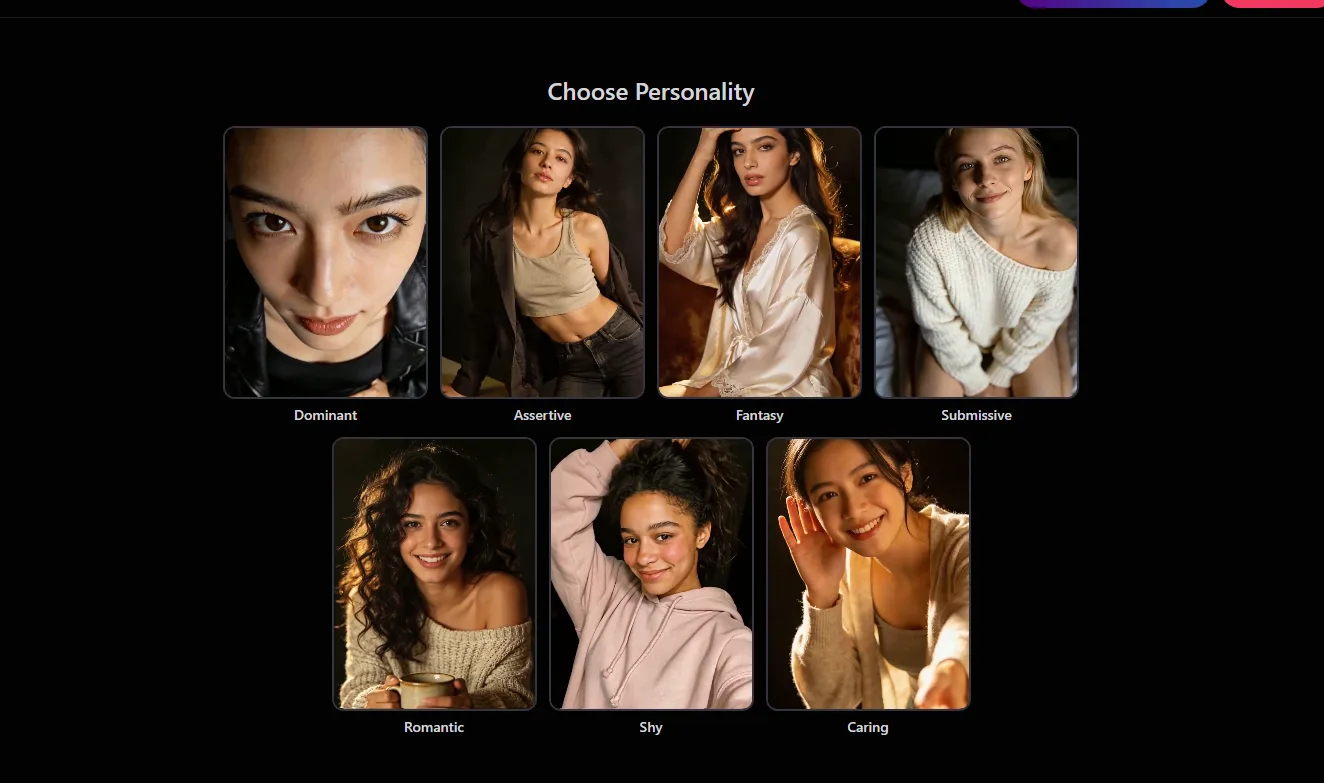
Personality is a single choice from seven cards. The create page says each one shapes how she talks and responds.
- Dominant or Assertive: confident and direct.
- Submissive, Shy or Romantic: gentle, reserved or warm.
- Caring: nurturing and supportive.
- Fantasy: imaginative and playful.
Step 3: Tune How She Behaves
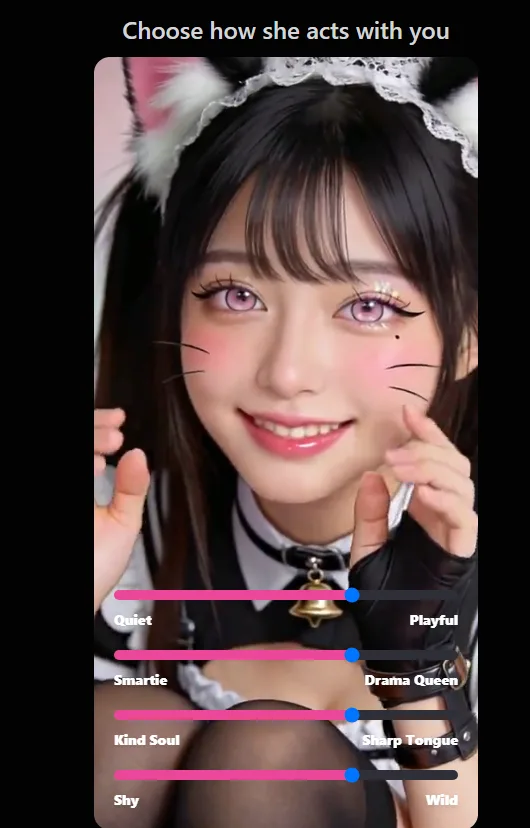
Four sliders then fine-tune her behaviour. Each one runs between two opposites, so you can land anywhere in between.
- Quiet to Playful
- Smartie to Drama Queen
- Kind Soul to Sharp Tongue
- Shy to Wild
Step 4: Pick Her Outfit and Chat Mood
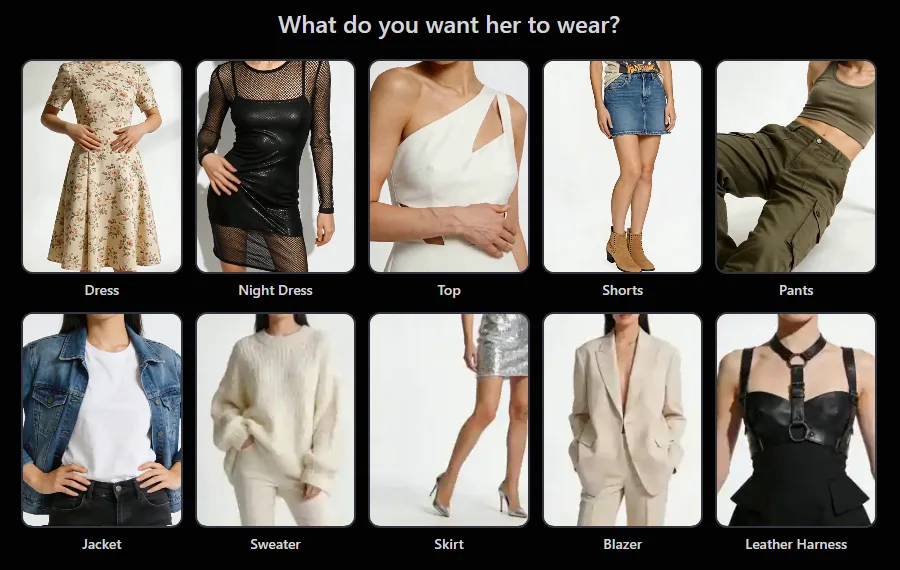
The outfit step offers ten cards, from a dress or sweater to a blazer or a leather harness. A chat mood follows, such as Enthusiastic or Caring.
The create page also advertises a Set Her Voice & Interests step, but our run never showed one. If you want a particular voice, check for it after the build.
Step 5: The Privacy Screen and Her Portrait
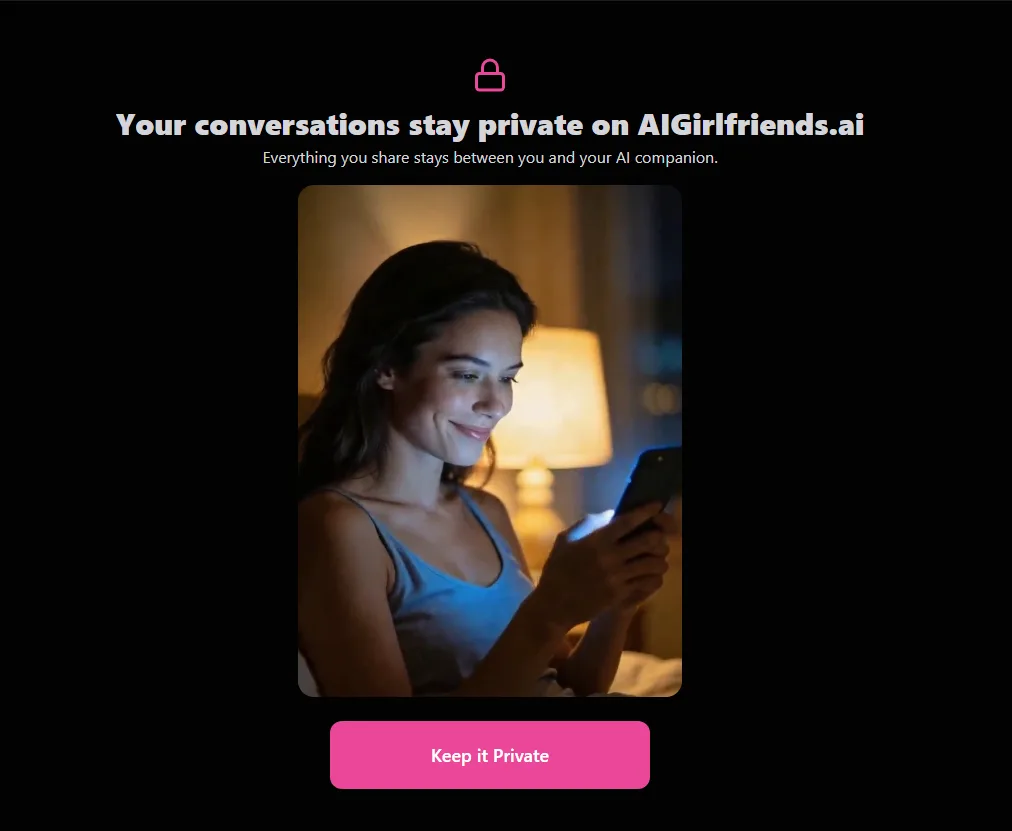
Before the result, the builder shows a privacy screen and asks two quick this-or-that questions. Then her portrait appears with a name box and a Chat now button.
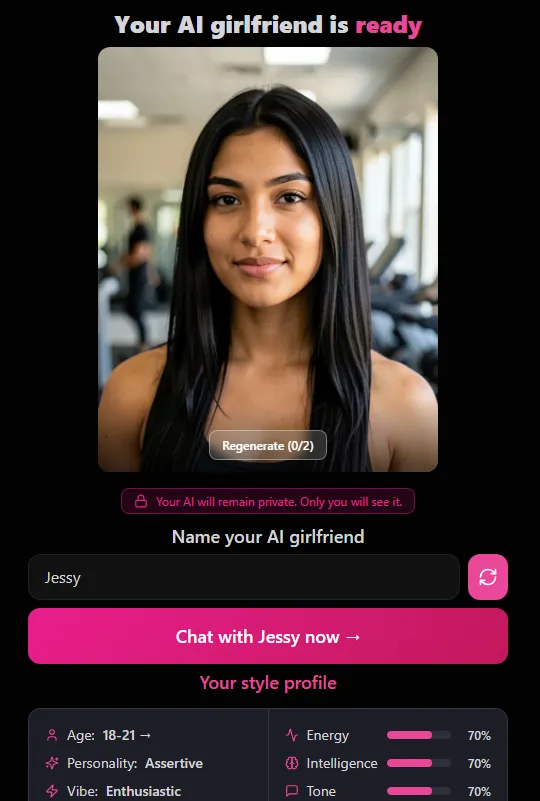
The portrait carries a Regenerate (0/2) button, which suggests two retries on the look, though we didn't press it. A style profile lists her age band, personality, vibe, outfit, hair and ethnicity.
Step 6: Start Chatting
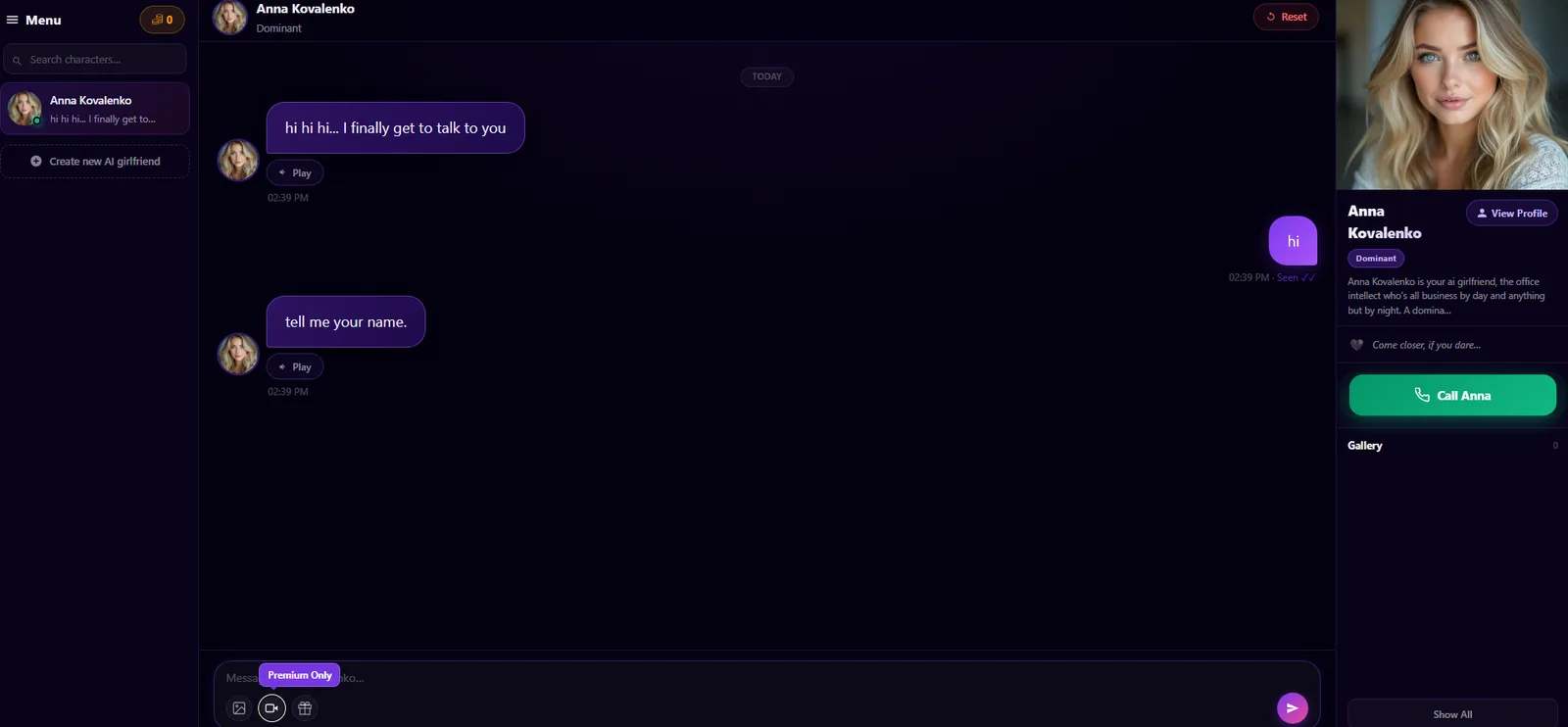
Text chat worked straight away on our free account, with a ready-made character. Each reply had a Play button for an audio version, and a Call button sat beside the chat, though we played no audio and placed no call.
What a Free Account Could and Couldn't Do in Our Run
- Could: build and name a companion, and trade text messages with a ready-made character.
- Couldn't: use the image, video or gift buttons, which each showed Premium Only.
- Not tested: calls, audio playback, long sessions or memory over days.
What It Costs Once You Want Pictures and Calls
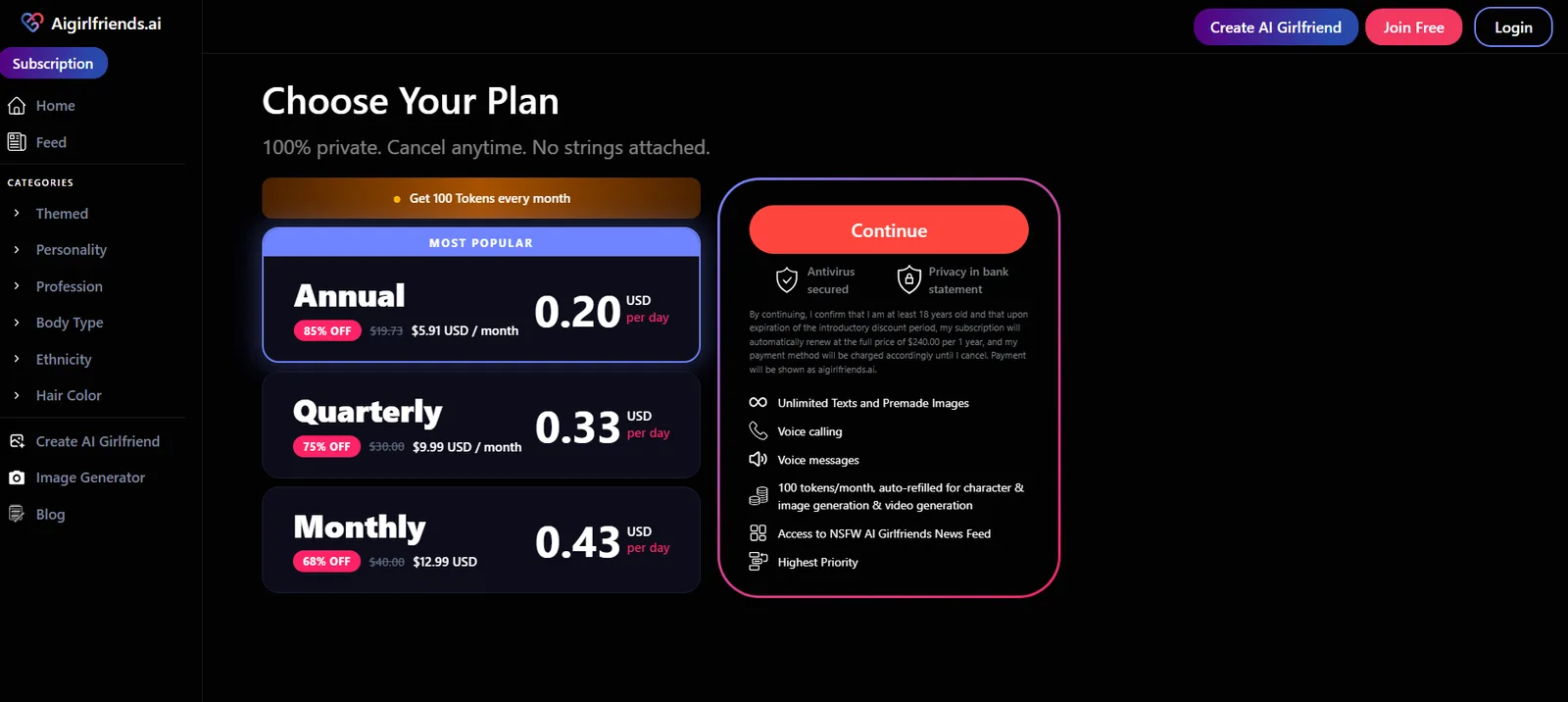
Building and texting cost nothing, but pictures, clips and calls need the paid plan. Each term starts on an intro price and renews at full price, according to the plan page and the annual checkout, both checked on 27 November 2026.
| Term | First charge | Then renews at |
|---|---|---|
| Monthly | $12.99 for the first month | $40 a month |
| Quarterly | $29.97 for the first 3 months | $90 every 3 months |
| Annual | $71.88 for the first year (at checkout; the plan card shows $5.91 a month) | $240 a year |
Every paid term includes 100 tokens a month for generation, and the refund policy treats sales as final apart from billing errors. Our guide to what an AI girlfriend really costs compares these renewals with ten other apps.
Privacy: What to Check Before You Share Anything
The builder's privacy screen promises that your conversations stay private. The terms and privacy policy are narrower, so read them before you share anything personal.
- The terms say content may travel unencrypted and promise encryption only for card data.
- The privacy policy names Microsoft Clarity and Microsoft Advertising for session replay and ads.
- Settings has a self-serve Delete Account option, once any subscription is cancelled.
Use a separate email, keep real names and locations out of the chat, and avoid uploading photos of real people.
How Other AI Girlfriend Builders Compare
Builders differ most in how many steps they offer and what you pay after the first month. Each of these has a full review on FetishAura.
- AmorLink AI (8.2) runs a guided build through style, looks, details, figure and soul, and its free plan includes daily chat with no card (the daily limit isn't published).
- Candy AI (8.1) puts chat, voice, images and video in one browser app, at about $3.99 a month on its annual plan.
- DreamGF (7.3) goes deep on looks and personality, but its $12.99 first month renews at about $25.98.
For the full ranking, see our best AI girlfriend apps list.
Frequently Asked Questions
Yes, on several apps, including AIGirlfriends.ai, where pictures, clips and calls still need a paid plan.
A few minutes, and AIGirlfriends.ai's create page says under 60 seconds in one place and one to two minutes in its FAQ.
We didn't test editing after the build, though the portrait screen shows a retry counter before you start.
That depends on the app's policies more than the builder, so read the privacy policy, use a separate email and keep identifying details out of your chats.
FetishAura's Bottom Line: Creating Your AI Girlfriend
Creating an AI girlfriend takes a few minutes: looks, personality, behaviour, outfit and mood, then a name and a first message. The real decisions come after, when you see what a paid plan renews at and what the privacy policy actually says.
To run the builder shown here yourself, AIGirlfriends.ai (sponsored link) offers it on a free account, and our AIGirlfriends.ai review covers the rest.