

The Short Answer
To delete your Character AI account, sign in, open Settings, choose Delete Account, confirm with the email tied to the account, and submit the request. Deletion is permanent, and full data removal typically completes within about 30 days. Deleting the account does not always cancel an App Store or Google Play subscription, so cancel billing separately.
Character AI (Character.AI) is a popular AI character-chat platform, and leaving it properly takes more than uninstalling the app.
This guide is for anyone who wants their account, characters and chat history gone for good, whether for privacy, a switch to another companion platform, or because they are simply done with it.
It covers backing up what you want to keep, stopping a subscription, finding the delete option on web and mobile, confirming the request, what happens to your data afterwards, and how deleting differs from deactivating or logging out.
The steps apply on desktop and on the iOS and Android apps, and we flag the common mistakes that leave people thinking their data is gone when it is not, or still paying after they have left.
How Do I Delete My Character AI Account?
You delete a Character AI account from its account settings on the website or in the iOS or Android app: choose Delete Account, confirm with your account email and submit the request. The full process, including the steps people usually miss, looks like this:
- Back up any chats or character definitions you want to keep.
- Cancel any paid subscription where you bought it.
- Sign in and open Settings.
- Choose Delete Account in the Account, Privacy or Manage Account section.
- Confirm with your email (and password if asked), then submit.
- Click any verification link Character AI emails you, and check a day or two later that you can no longer sign in.
Step 1: Back Up Anything You Want to Keep
Back up first, because deleting a Character AI account is irreversible: once the request is processed, your custom characters and full chat history cannot be restored, even if you sign up again with the same email.
There is no one-click "export everything" button, so most people save their data by hand:
- Copy important chats by selecting message threads and pasting them into a document or notes app.
- Screenshot character definitions (greeting, persona, description) for any character you may want to recreate elsewhere.
- Submit a data-access request through the privacy or support menu for an official copy of the personal data the platform holds. Privacy laws such as the GDPR and the CCPA give you the right to ask for this before deletion.
Moving to another platform rather than quitting? SpicyChat AI, a web-based character-chat platform, closely mirrors the Character AI interface.
Janitor AI can import SillyTavern character cards, and its community has recreated many popular Character AI characters. Either way, your saved character notes make rebuilding much easier.
Step 2: Cancel Any Subscription Before You Delete
Cancel any paid plan before you delete, because deleting a Character AI account does not automatically stop a subscription bought through the Apple App Store or Google Play. Cancel it where you bought it:
- iPhone or iPad: Settings > your name > Subscriptions > Character.AI > Cancel.
- Android: Google Play Store > profile > Payments & subscriptions > Subscriptions > Character.AI > Cancel.
- Web or direct billing: cancel inside the platform's billing settings before you delete the account.
Check that the subscription shows as inactive before moving on. Skipping this step is how people end up with a deleted account and a monthly charge that keeps arriving.
Step 3: Open Your Account Settings
The Character AI delete option lives in your account settings, and the path differs slightly by device. Either way, you must be signed in to the account you want to delete.
- On the website: sign in, click your profile icon or username in the top corner, then open Settings or Account.
- On the iOS or Android app: tap your profile or the menu icon, then tap Settings.
Inside Settings, look for a section labeled Account, Privacy or Manage Account. Some app versions put deletion under a "Danger zone" or "Account actions" heading near the bottom of the page.
If you signed up with Google or Apple, you still delete the account inside Character AI itself. Revoking the app's access in your Google or Apple settings logs you out but does not delete your Character AI data.
If your app version shows no delete option, use the website or contact support, as described in the next step.
Step 4: Choose "Delete Account" and Confirm
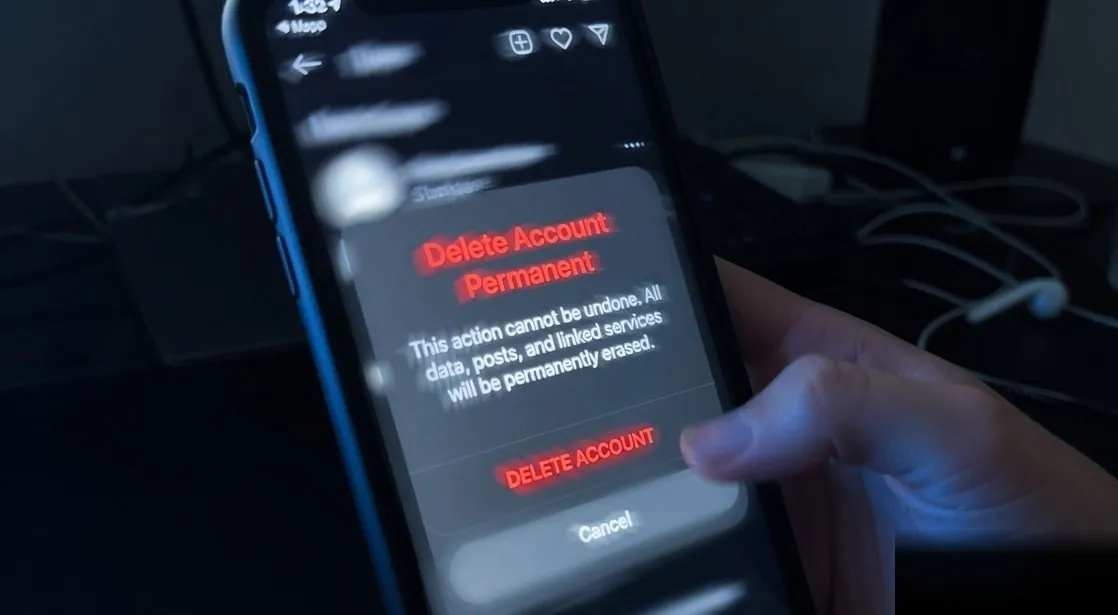
Select Delete Account in the account section, then confirm your identity, usually by re-entering your email address or password, because Character AI wants to prevent accidental deletions. The typical flow is:
- Tap "Delete Account." A warning screen explains that your data will be removed.
- Confirm your identity with the email tied to the account, and your password if prompted.
- Submit the request. You may be asked for an optional reason for leaving.
- Check your inbox. Character AI often sends a confirmation email, and some flows require you to click a verification link to finalize the request.
If your app version has no in-app delete button, email Character AI support and ask in writing for your account and associated personal data to be permanently deleted. If you live somewhere covered by the GDPR or CCPA, cite your right to erasure.
Always send the request from the email address linked to the account so the team can verify ownership without back-and-forth.
Step 5: Check That the Deletion Went Through
Check that the deletion worked by trying to sign in a day or two after submitting the request. If the account is gone, or a confirmation email has arrived, the request was processed.
If you can still sign in normally after the stated processing window, the request may not have gone through: submit it again or contact support from the account's email address.
Check your next card or app-store statement too, to confirm no further Character AI charges appear.
What Happens to Your Chats and Data After Deletion?
A deleted Character AI account is queued for removal rather than erased the instant you click the button.
Platforms like Character AI typically complete deletion within about 30 days, and backup systems may keep residual copies for a short extra window before they are overwritten.
| Item | What happens after deletion |
|---|---|
| Your profile and login | Permanently removed; you can no longer sign in. |
| Custom characters you created | Deleted from your account; public characters others have chatted with may persist. |
| Chat history | Removed from your account and queued for deletion from active systems. |
| Subscription billing | Not always stopped; cancel through the app store or payment provider. |
| Anonymized or aggregated data | May be kept, because it is no longer tied to you personally. |
Conversation data is sometimes used to improve AI models. Deleting your account stops new collection and removes your identifiable records, but content already used in aggregate model training generally cannot be "un-learned."
If that concerns you, read the privacy policy and file a formal data-erasure request alongside deletion. For wider privacy habits on companion and adult platforms, see our guide to staying anonymous on adult sites.
What Is the Difference Between Deleting and Deactivating?
Deleting a Character AI account is permanent, while deactivating or logging out is a reversible pause, and uninstalling the app does nothing to the account at all. Mixing these up is the most common mistake we see.
| Action | What happens | Reversible? | Stops billing? |
|---|---|---|---|
| Delete the account | Account, characters and chat history are erased | No | Not automatically |
| Deactivate or log out | Data stays on the servers; sign back in any time | Yes | No |
| Uninstall the app | Only the software leaves your phone | Yes | No |
Log out or deactivate if you want a break, are cutting back on screen time, or are not sure you want to lose your companions. Delete if you want privacy, a clean exit or your data removed for good.
If you have only uninstalled the app and want to stop paying, you still need to cancel the subscription in your app store.
Frequently Asked Questions
No. Once processed, deletion is permanent, and there is no trash folder or recovery option for the account. If you might come back, log out instead.
If you submitted the request only moments ago, contacting support quickly is the only chance of stopping it, and success is not guaranteed.
The account is usually disabled straight away or soon after the request. Removing your data from active systems typically takes about 30 days, and backup copies may last a little longer before they are overwritten.
Characters you made are removed from your account, but public characters other people have chatted with may stay on the platform in some form. If that matters to you, switch sensitive characters to private before you submit the deletion request.
Not automatically. A plan bought through the App Store or Google Play must be cancelled in that store, and web billing is cancelled in the platform's own billing settings. Cancel first, confirm the plan shows as inactive, and only then delete the account.
Partly. You can file a data-access or erasure request, set characters and chats to private, and review privacy settings to limit how your conversations are used. Those steps shrink your footprint, but only full deletion removes the account itself.
No. Uninstalling just removes the app from your phone. Your account, chat history and any active subscription remain on Character AI's servers until you delete the account and cancel billing yourself.
Wrapping Up
Deleting a Character AI account is straightforward once you know where the option lives, but it is permanent: characters, chat history and personalization are gone for good, so save anything you want before you confirm.
Keep the core distinction in mind: deleting erases the account, while logging out or uninstalling only pauses or hides it.
Cancel any subscription where you bought it, and if privacy is your main reason, pair deletion with a formal erasure request so you have written confirmation.
If the content filter is why you are leaving, read does Character AI have an NSFW filter before you choose where to go next.